After selecting the menu Calculation  Model calibration (gradient method)... the following input window appears:
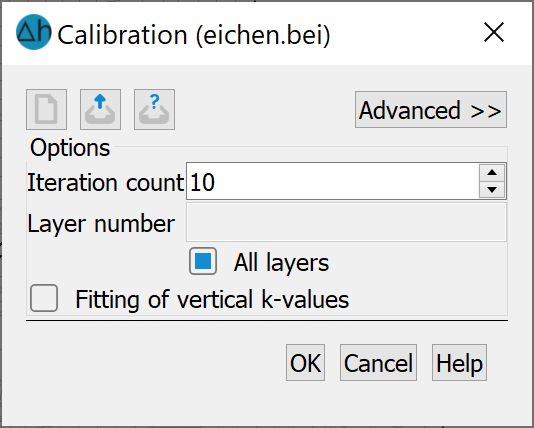
When the input screen is called up, the programme reads in the batch file with the preset name eichen.bei (if it exists) and the default settings in the screen are changed accordingly if necessary.
Number of iterations
The number of iterations determines how often the iterative change of the K values should take place.
Layer numbers (3D model only)
For 3D models, it is possible to calibrate only the elements of selected element layers (e.g. only the top layer). Selecting the layer numbers determines which layers or whether all layers are included in the iteration. If, for example, there is a distinct, well known aquitard between two groundwater levels, the K values of this layer can remain unchanged.
Adjustment of the vertical K-values (3D model only)
The change in the vertical K value can also be controlled in 3D models. The vertical K values can be kept constant or, if desired, they can be changed during iteration so that the original ratio between the vertical and horizontal K values remains constant. Due to the ratio of the gradients, only the horizontal K values are adjusted.
The buttons in the header of the input window allow you to reset the input parameters ( ), open an existing batch file (
  ) or save the current batch file under an other names (
 ). The buttons at the bottom of the input window start the calculation (OK button), close the dialogue (Cancel) or open the digital help (Help button).
Stand: 30.01.2025 | 