Call by: SPRING  Calculation Balancing Area…
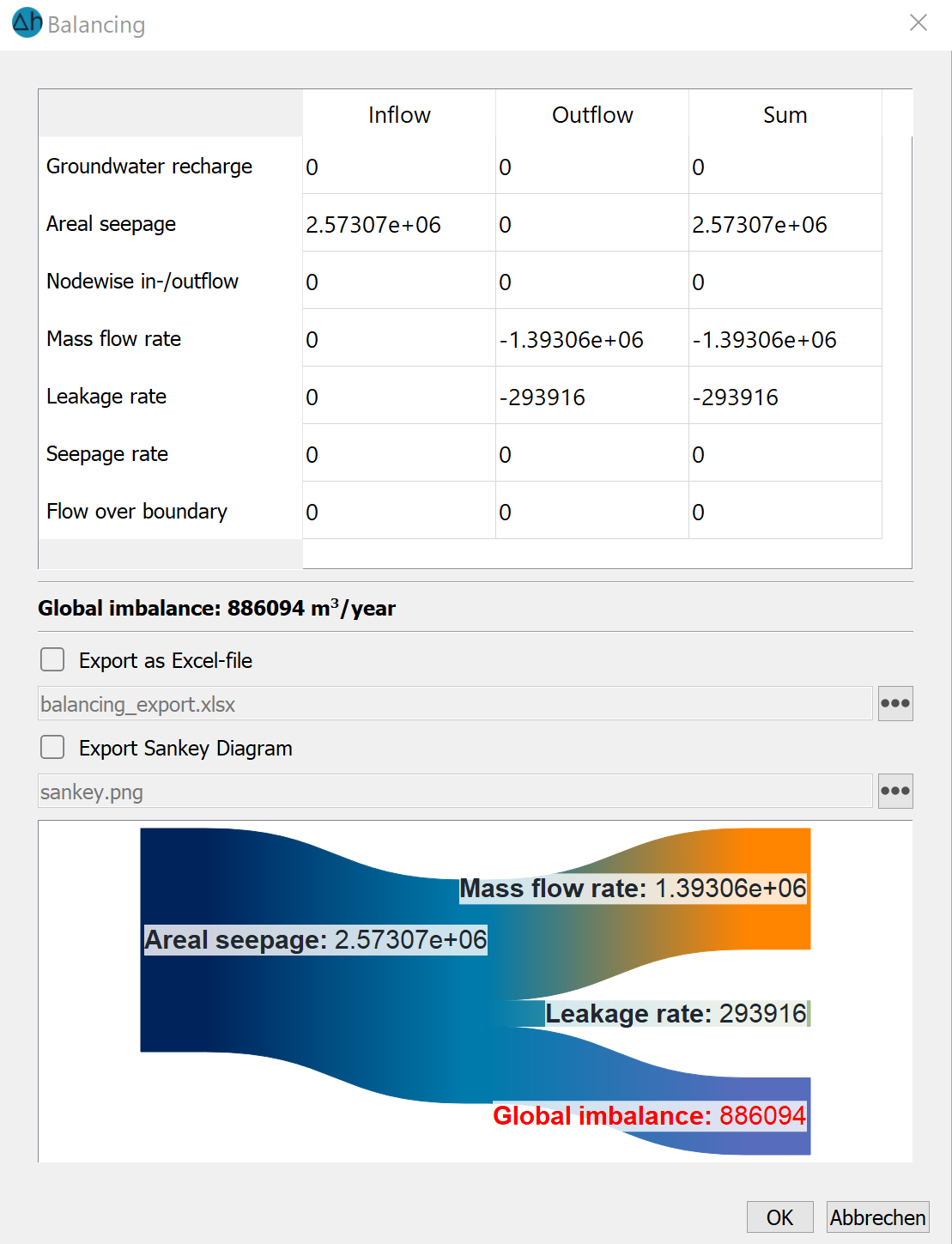
This function can be used to balance partial areas of the model area or the entire model area. After selecting the function, a polygon can be drawn over element edges, whereby any points in the model area can be selected. The polygon over the element edges is determined automatically and displayed in a live preview. The currently drawn polygon is confirmed with a right-click and automatically closed if the start point does not correspond to the end point. In 3D models, one or more layers can then be selected for balancing. The flow rates over the boundary of the polygon described above are calculated. In addition, the following inflows and outflows within the polygon, as well as on the edge of the polygon, are collected from model attributes and calculation results and totalled:
Groundwater recharge (from GW-N)
Surface infiltration (from FLAE)
Node inflows/outflows (from KNOT)
Mass flow rates (calculation results from REAK)
Leakage rates (calculation results from LEAK)
Seepage rates (calculation results from SICK)
The results are summarised in a table that can be exported as an Excel file. The results are also displayed in a Sankey diagram, in which the inflows into the sub-area drawn are shown on the left and outflows from the sub-area drawn are shown on the right.
Stand: 10.06.2025 | 